


API's for Developers
Welcome to the Toddlers API documentation
This guide provides everything you need to integrate and interact with our API, enabling you to access the full suite of features we offer.
To start using our API, you will need to CLIENT ID your requests using a token. Each request must include the following header:
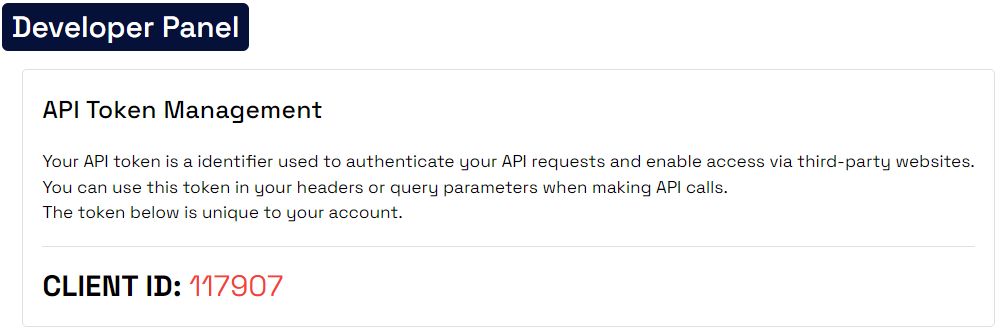
Effortlessly Access and Manage Your CLIENT ID : Simply Navigate to Your Client Dashboard under
the DEVELOPER PANEL to retrieve your CLIENT ID.
For a comprehensive
step-by-step guide and additional details, be sure to check out the attached image for visual
assistance.
Base URL:
https://toddlersapp.com/api/developers/
Headers:
Content-Type: application/json
Content-Type: application/json
Endpoint:
{ BASE_URL }/branches
{ BASE_URL }/branches
Body:
                                        {
                                            "client_id": "123456", //CLIENT TOKEN

                                        }
Response: 200
                                            {
                                                "status": true,
                                                "message": "Branch list",
                                                "data": [
                                                    {
                                                        "id": XXX,
                                                        "user_id": XXX,
                                                        "name": "XXX",
                                                        "slug": XXX,
                                                        "country_id": X,
                                                        "email": "XXXX@XXX.XXX",
                                                        "phone": "+XXXXXX",
                                                        "address": "XXXX",
                                                        "latitude": "XXXX",
                                                        "longitude": "XXX",
                                                        "description": XXX,
                                                        "country": {
                                                            "id": X,
                                                            "name": "XXXX"
                                                        }
                                                    }
                                                    {
                                                        "id": XXX,
                                                        "user_id": XXX,
                                                        "name": "XXX",
                                                        "slug": XXX,
                                                        "country_id": X,
                                                        "email": "XXXX@XXX.XXX",
                                                        "phone": "+XXXXXX",
                                                        "address": "XXXX",
                                                        "latitude": "XXXX",
                                                        "longitude": "XXX",
                                                        "description": XXX,
                                                        "country": {
                                                            "id": X,
                                                            "name": "XXXX"
                                                        }
                                                    }
                                                ]
                                            }
Headers:
Content-Type: application/json
Content-Type: application/json
Endpoint:
{ BASE_URL }/countries
{ BASE_URL }/countries
Response: 200
                                            {
                                                "status": true,
                                                "message": "Countires list",
                                                "data": [
                                                    {
                                                        "id": 2,
                                                        "iso": "AL",
                                                        "name": "Albania",
                                                        "code": "355"
                                                    },
                                                    {
                                                        "id": 3,
                                                        "iso": "DZ",
                                                        "name": "Algeria",
                                                        "code": "213"
                                                    },
                                                    ...
                                                ]
                                            }
Headers:
Content-Type: application/json
Content-Type: application/json
Endpoint:
{ BASE_URL }/admission-query
{ BASE_URL }/admission-query
Body:
                                        {
                                            "client_id": "123456", //CLIENT TOKEN

                                            "parent_name": "John Doe",

                                            "student_name": "Dany John",

                                            "email": "john@email.com",

                                            "phone": "96890856281",

                                            "branch_id": "1222"
                                        }
Response: 200
                                            {
                                                "status": true,
                                                "message": "Your enrollment request has been successfully submitted, and we will inform you through our representative department."
                                            }